Credit Card Activation

Led all design responsibilities from discovery to implementation. Designed product experiences informed by technical capabilities and customer service needs, reducing support friction and improving issue resolution for both users and internal teams.
Introduction

Led content strategy to define user flow using RBC's design system and style guide for a large-scale HSBC-to-RBC credit card migration, defining activation messaging, progressive disclosure, and pre-launch onboarding (T-70) to ensure seamless Legal Day-1 (LD1) usage. This resulted in reduced customer confusion, lower support volume, and increased early card activation.
Year 2024
Role Independent - Product and content design lead
Channel Internal; web | English only
Team Credit Cards - Consumer Banking

Design Process & Discovery

Worked directly with Product and internal RBC stakeholders as well as HSBC representatives. Alongside engineering Product shared the problem and both HSBC and RBC partners shared requirements in detail as well as limitations. Understanding the data points available to us as well as various limitations and blockers guided me in creating s simple task flow that aligned with all parties and provided the best user experience.

Main design screens

Use cases and considerations

Business clients
  • There was concern that business clients may end up in this flow, which is only for personal banking clients with credit cards. There was discussion to create a screen or call out for that use case. All business credit cards are delivered activated, therefore business clients are not required to activate their business cards upon receipt. Once it was determined that we can detect a business card from the card number entered, we decided to just allow this use case go through the happy path and see the success screen.
Clients with numerous credit card replacements
  • Due to the client not being told which card replaced which card, there was a chance of errors, when matching the HSBC card number and RBC card number. We were able to determine that a very low number of clients have three cards, so with that, we allowed clients three tries to enter the right information before locking them out of the flow. This was also beneficial to prevent for instances of fraud.
No client service support
  • Due to this flow being available before the official transition from HSBC to RBC, there would not be support available for clients. With this is mind, a decision was made to utilize a frequently asked questions. While not the perfect scenario, we identified various pain points the client may encounter and shared with an external team to include in the FAQs that they were developing. The link to the FAQs was included on every screen throughout the flow.
Guide clients to start the online banking (OLB) journey
  • While clients were not fully clients as yet. There was value to welcome into the bank. Therefore on the final screens we allowed clients to be directed to Online Banking Enrolment flow, where they were able to use their HSBC credentials to setup OLB, so they would have access to both their card and OLB on LD1.

Final design flow

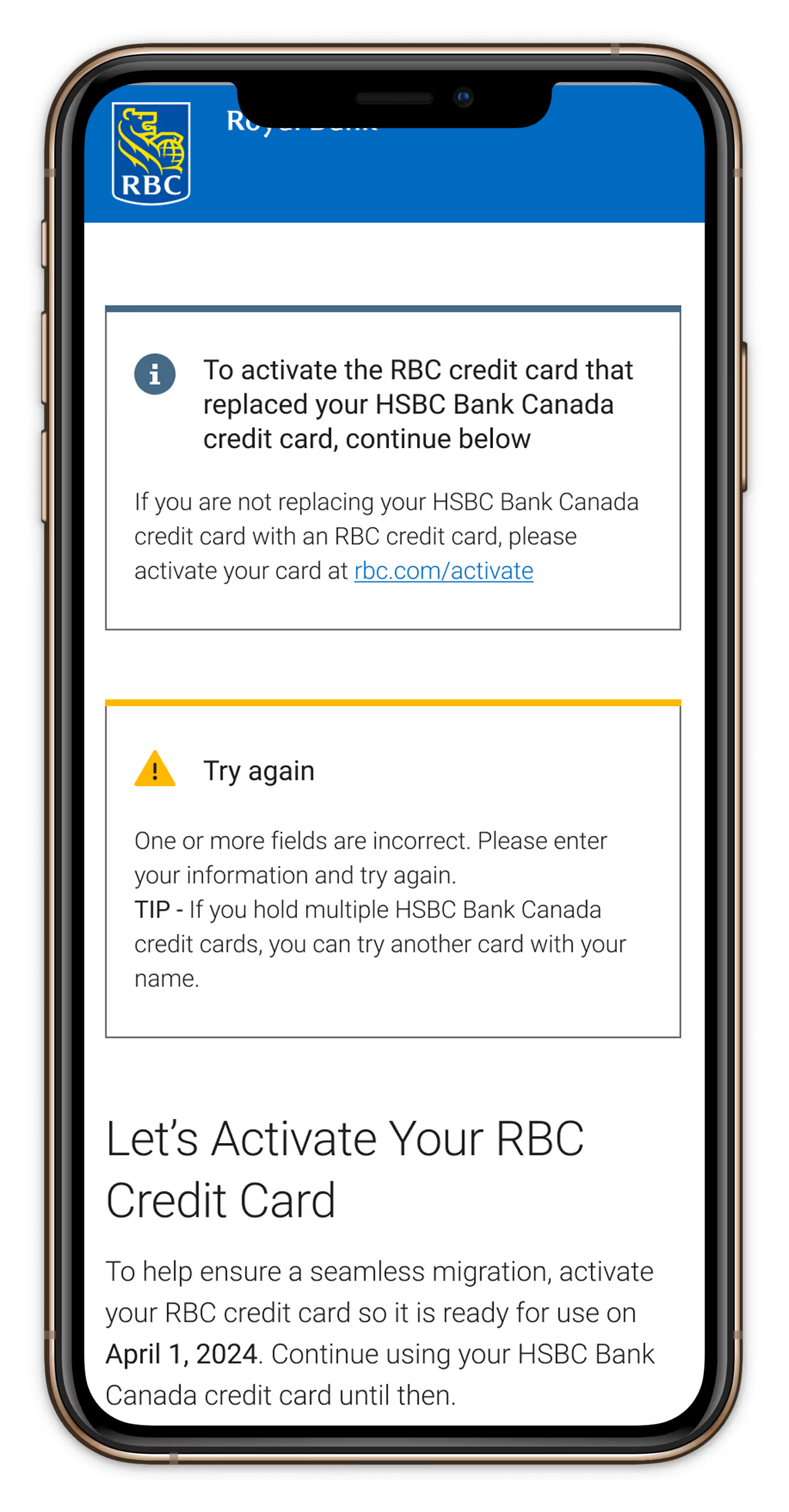
Created the final flow after establishing all the various use cases. In doing so, error states and fail states presented itself to facilitate all all scenarios. All content was curated to align with RBC content style guidelines and kept the process transparent at all stages. View annotated mobile flow

Curated screens with content strategy

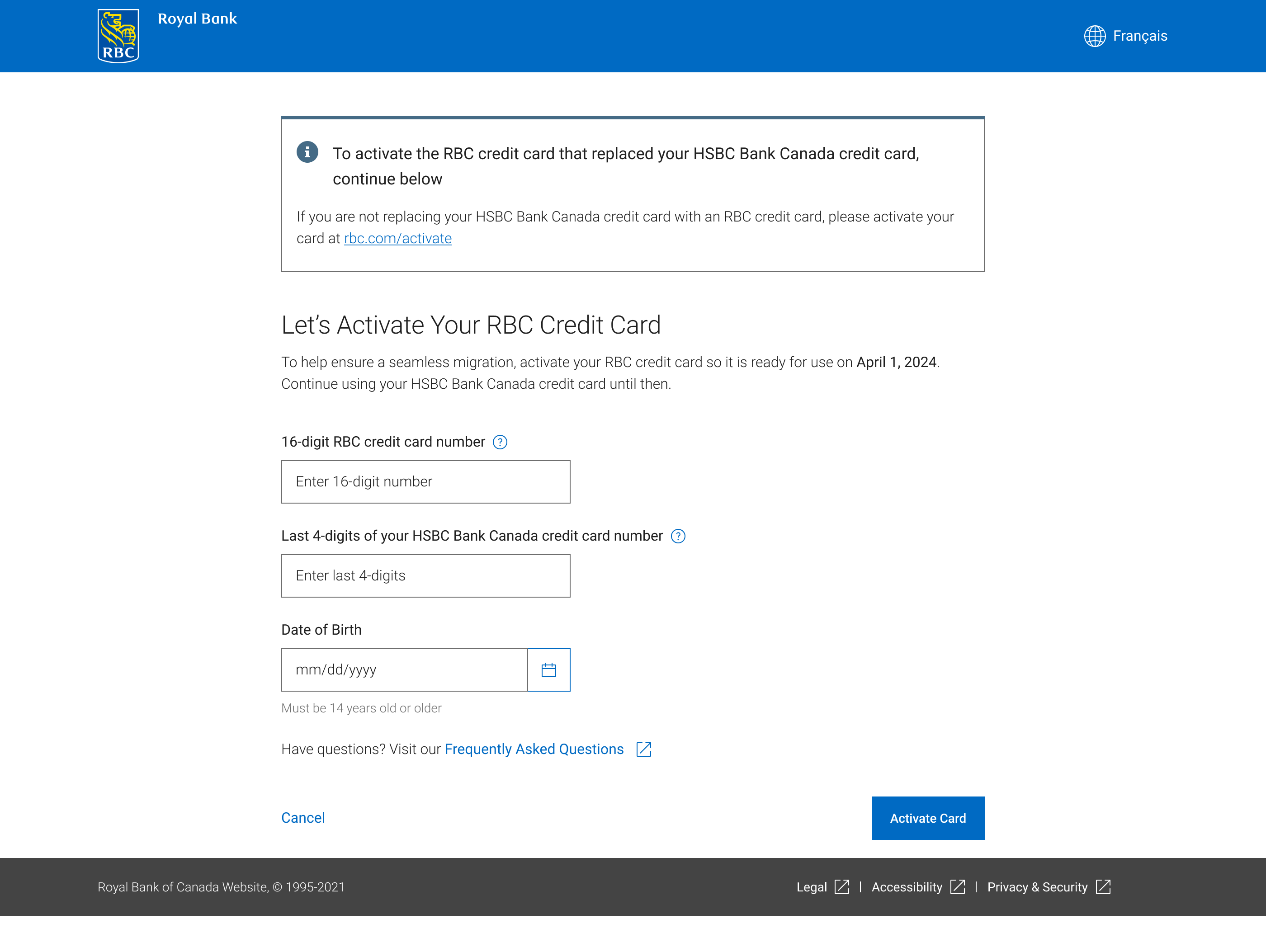
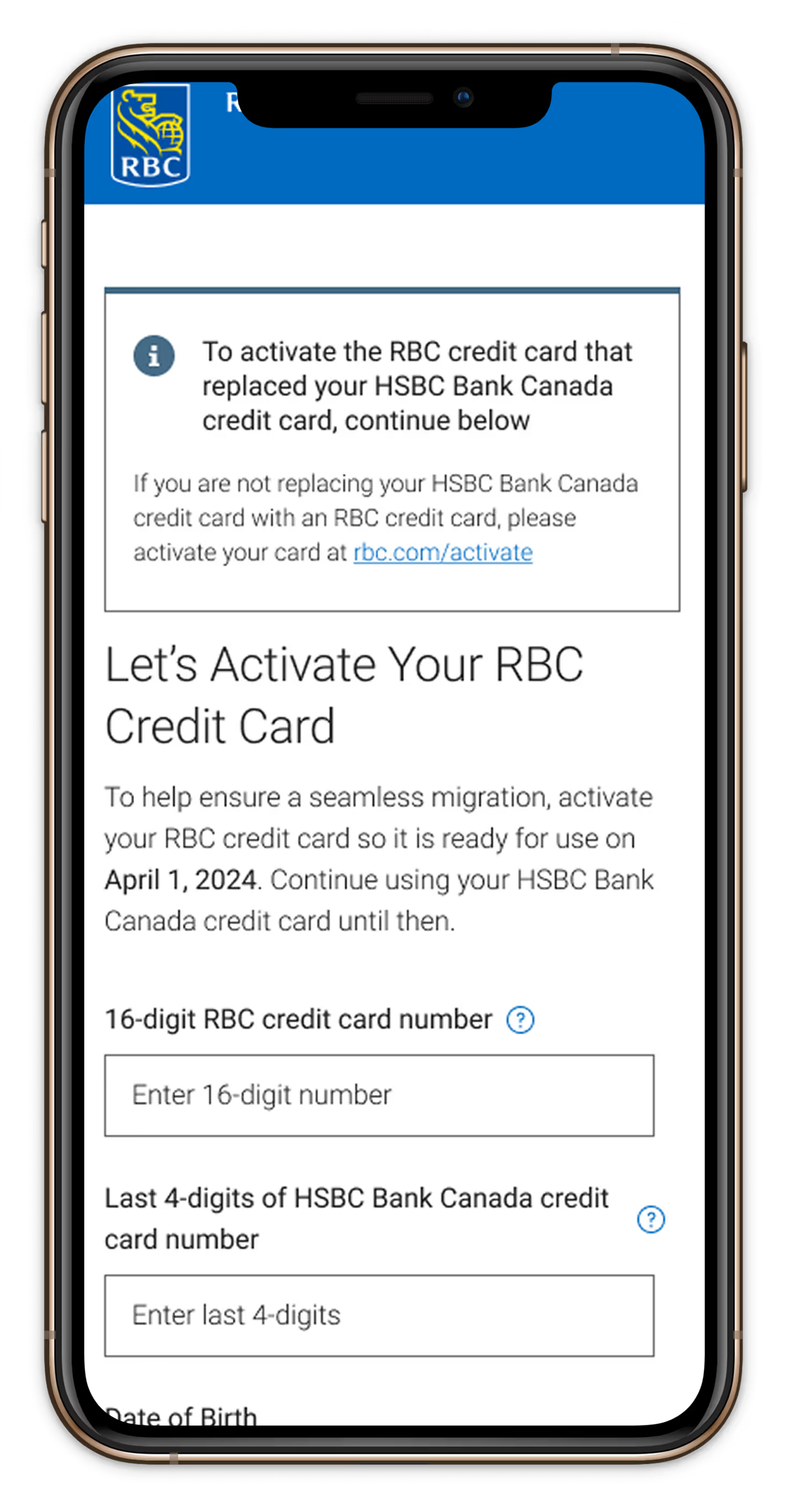
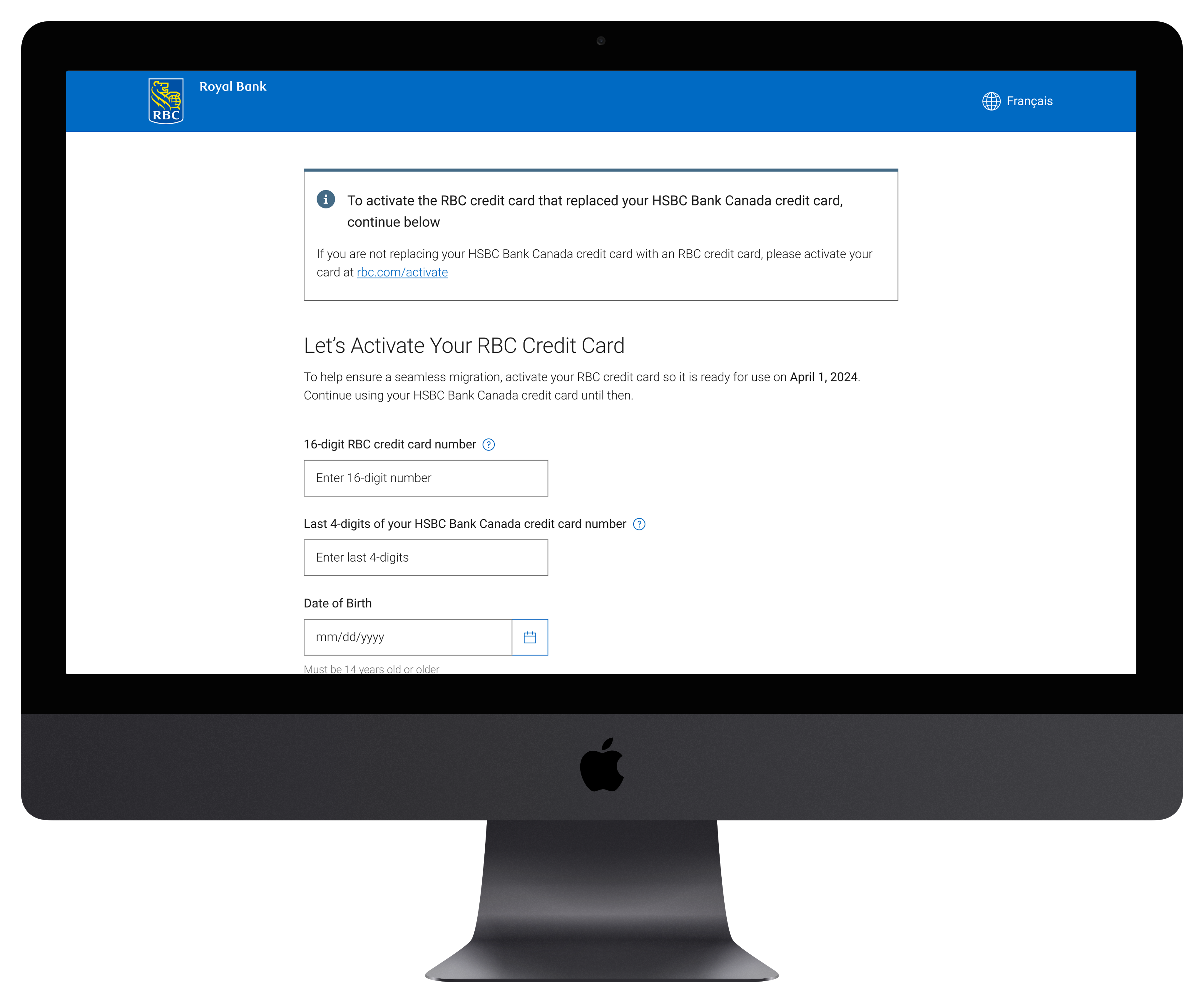
Entry point for users from email.

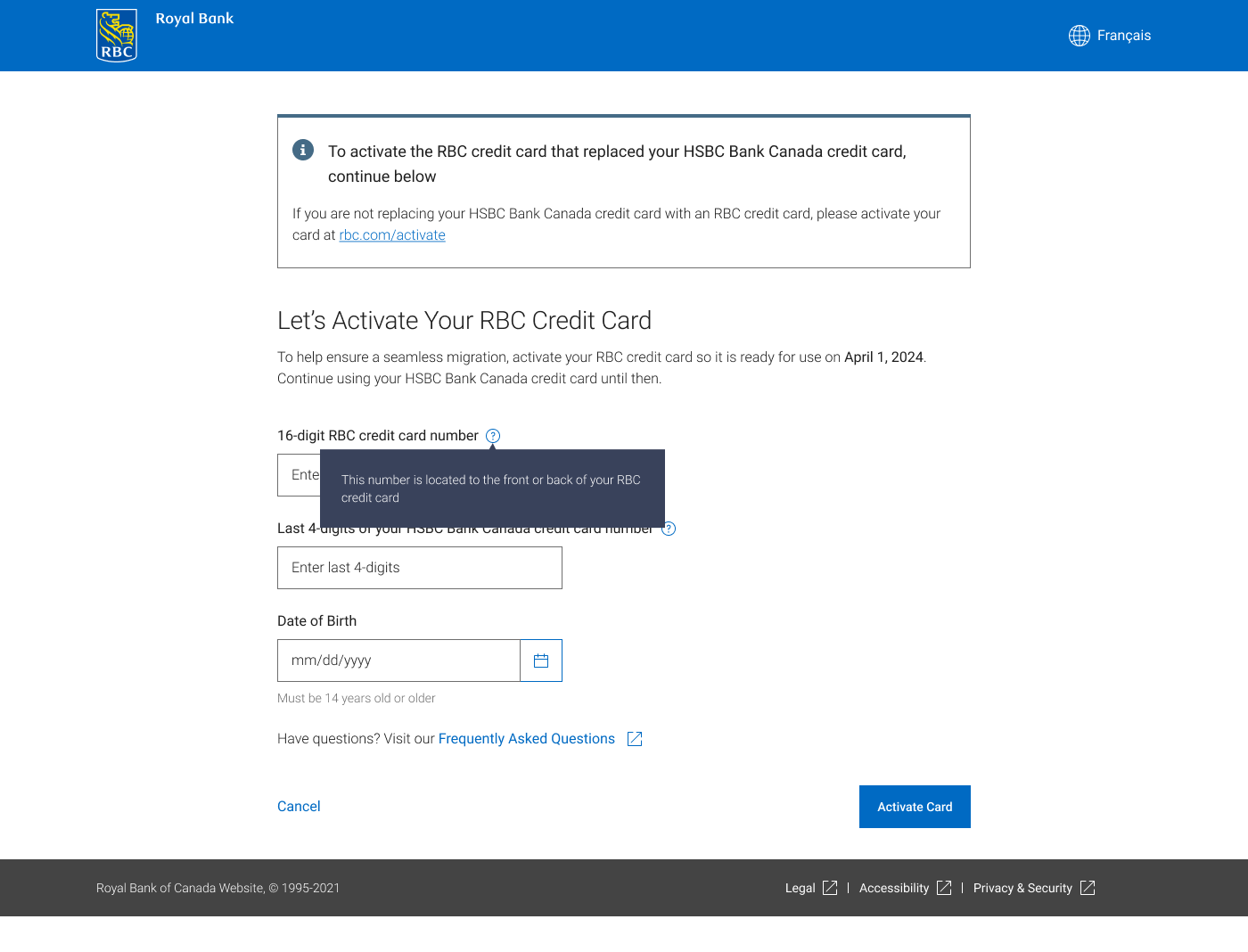
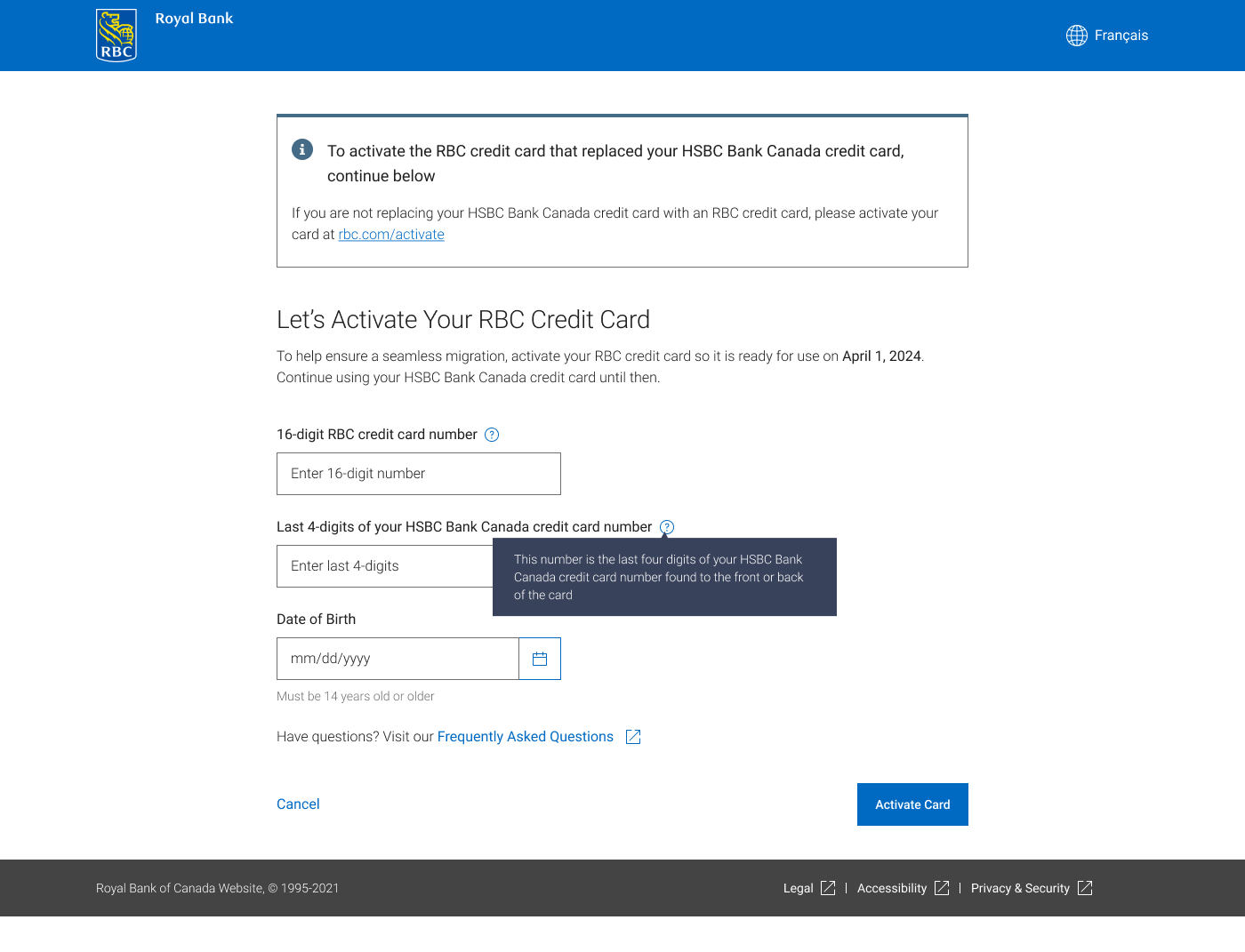
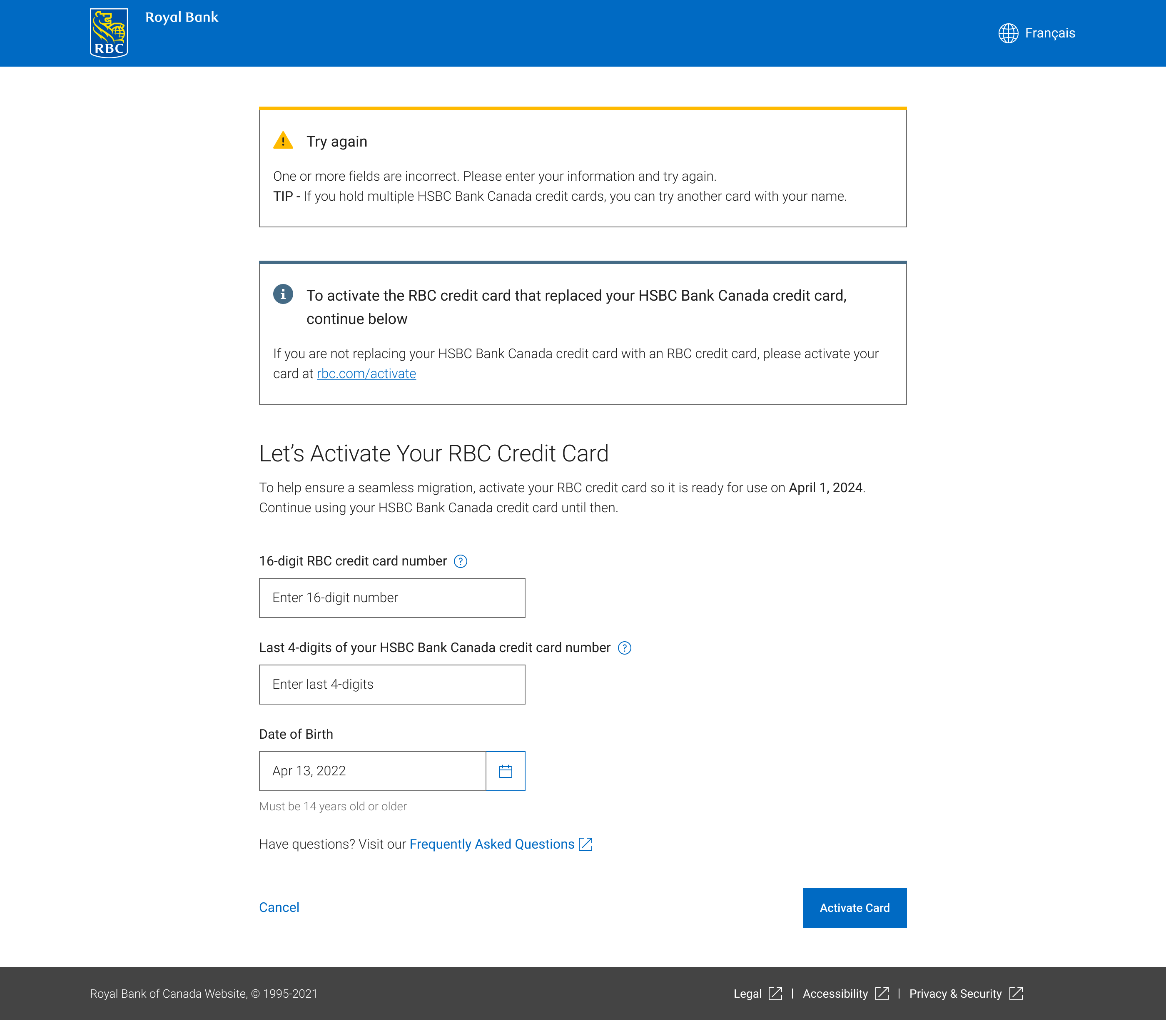
To avoid people who want the RBC BAU activation flow there is an alert message banner to emphasize that this activation flow is ONLY for incoming HSBC clients. Tooltips were implemented to ensure users provide the correct information. Select image below for larger view.  

Fail screens

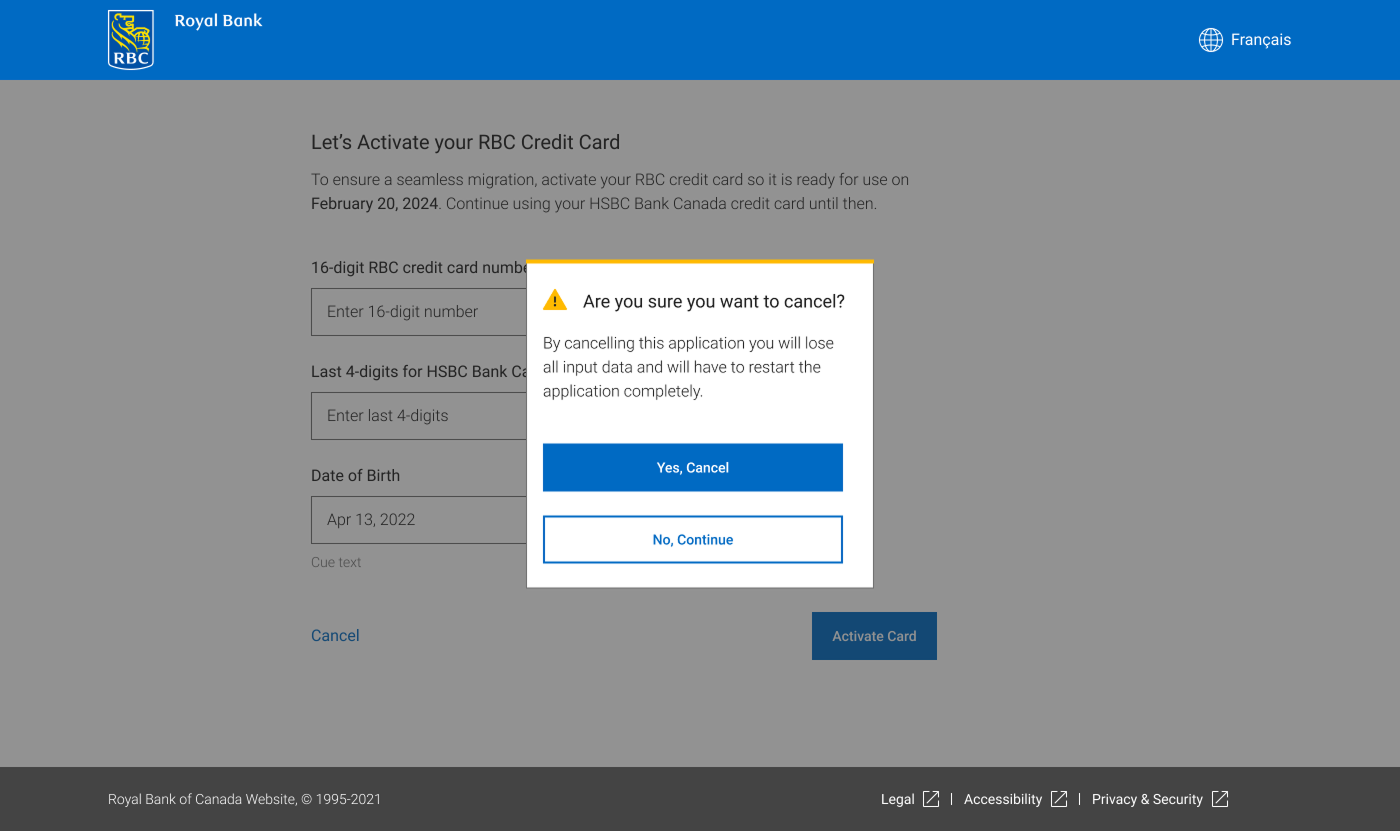
Users who select "Cancel" will be presented with an alert to confirm that they wish to leave the flow.
Users only have three attempts and the bank was unable to provide what RBC card was the replacement for which HSBC card, so if they had more than one card it is recommended that they try the other. Data showed that users had max three cards.
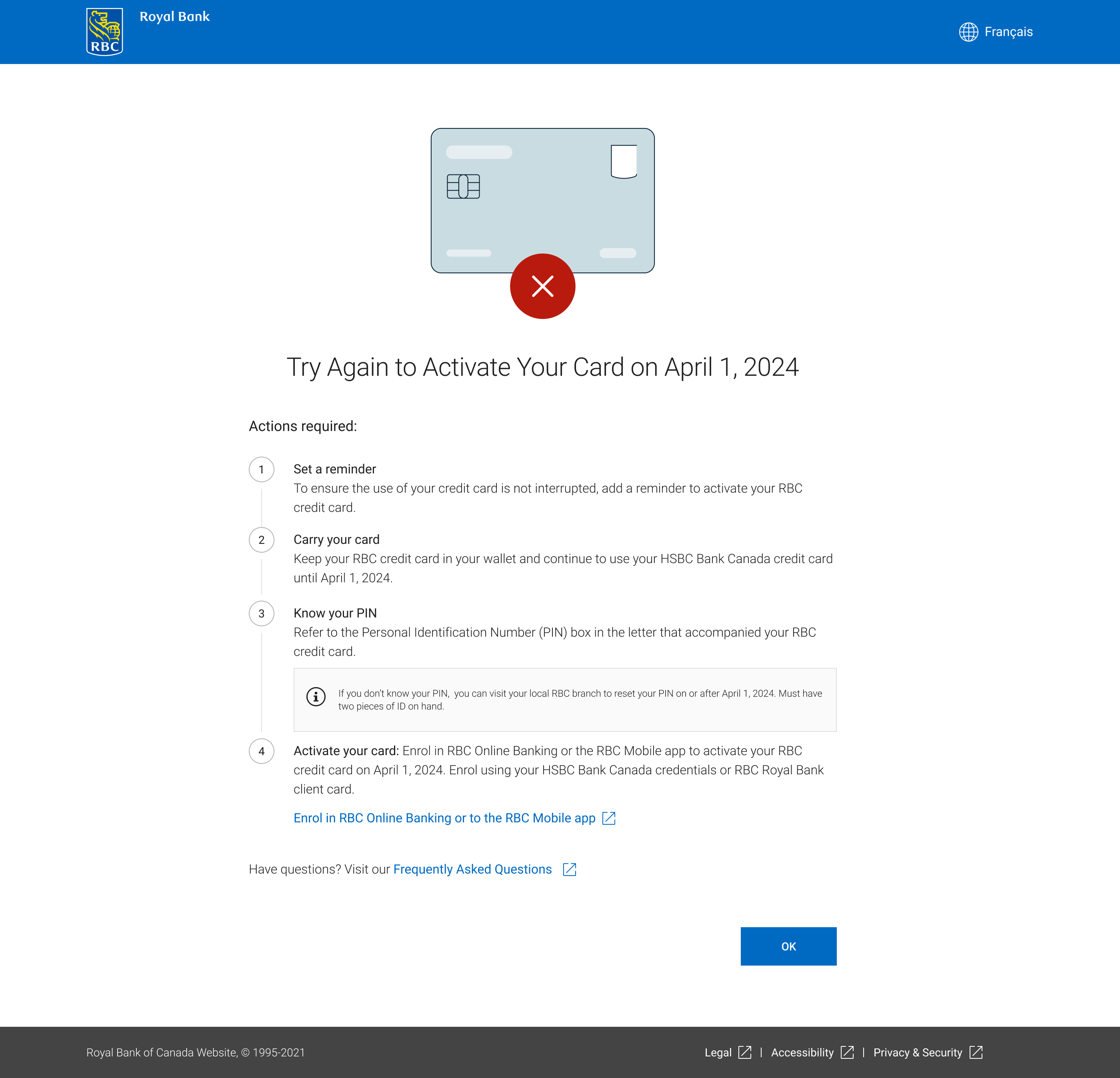
If all attempts are exhausted users will see the final screen which directs users to try when the merger fully went into effect.

Error screens

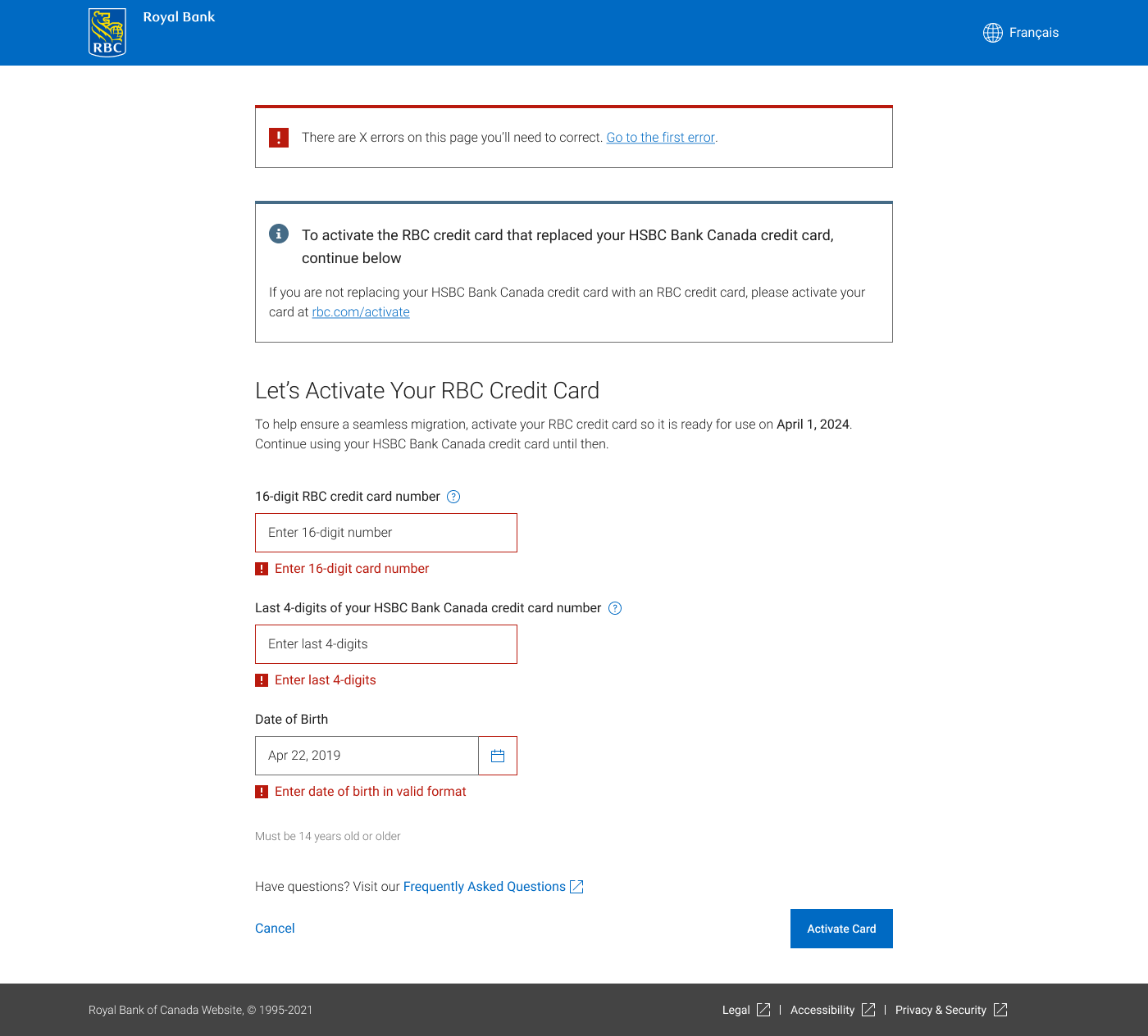
Error message banner was created by me and added to the component library. It is used in all onboarding flows.
Multiple Fields not filled - User has not entered any information in two or more fields
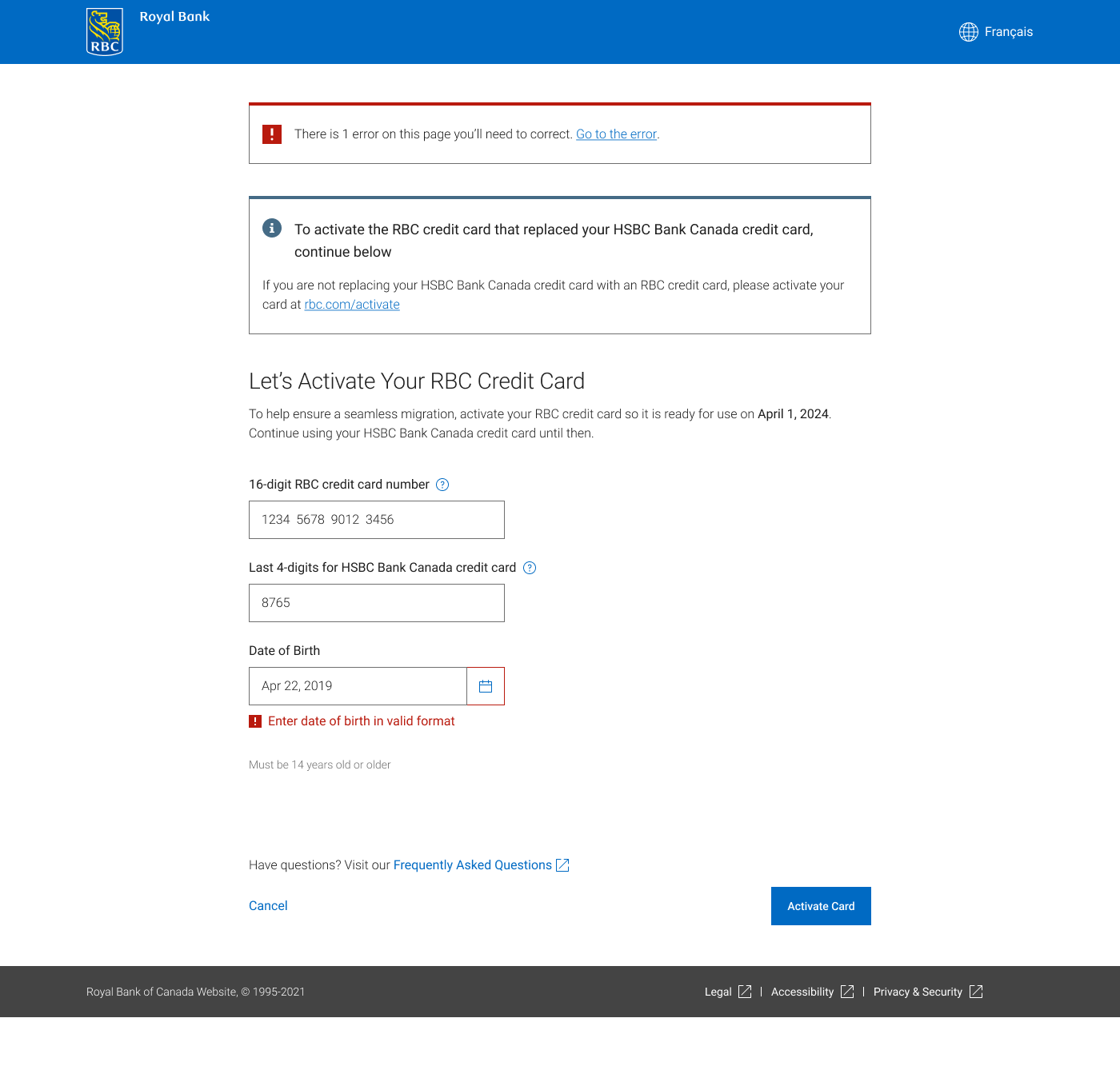
One field not filled - User has not entered any information in one field. Also shows one of two error scenarios for Date of birth - proper format for DOB.    
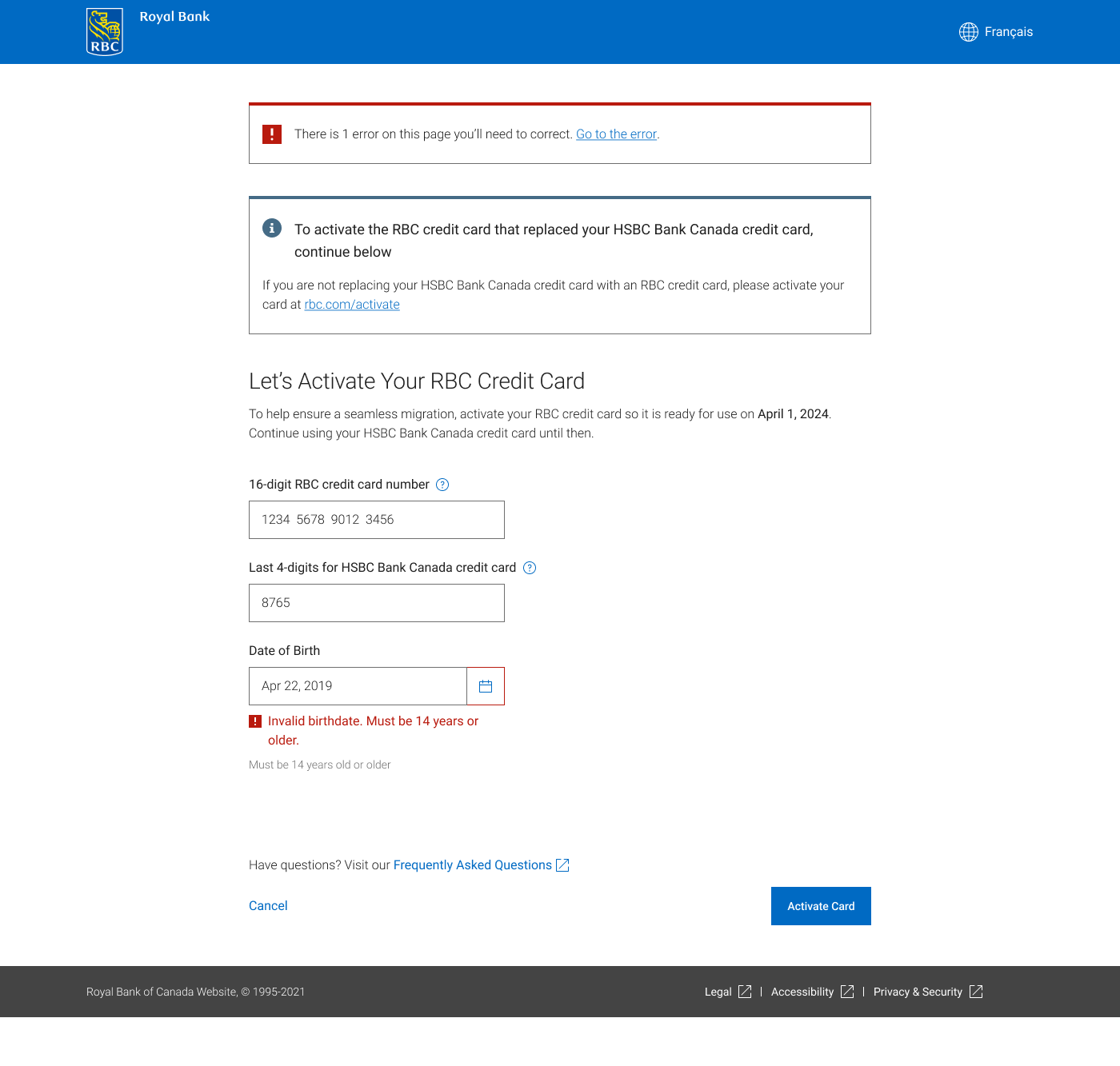
One field not filled - User has not entered any information in one field. Also shows one of two error scenarios for Date of birth - invalid date of birth and user must be 14 years or older.

Technical disruption screens

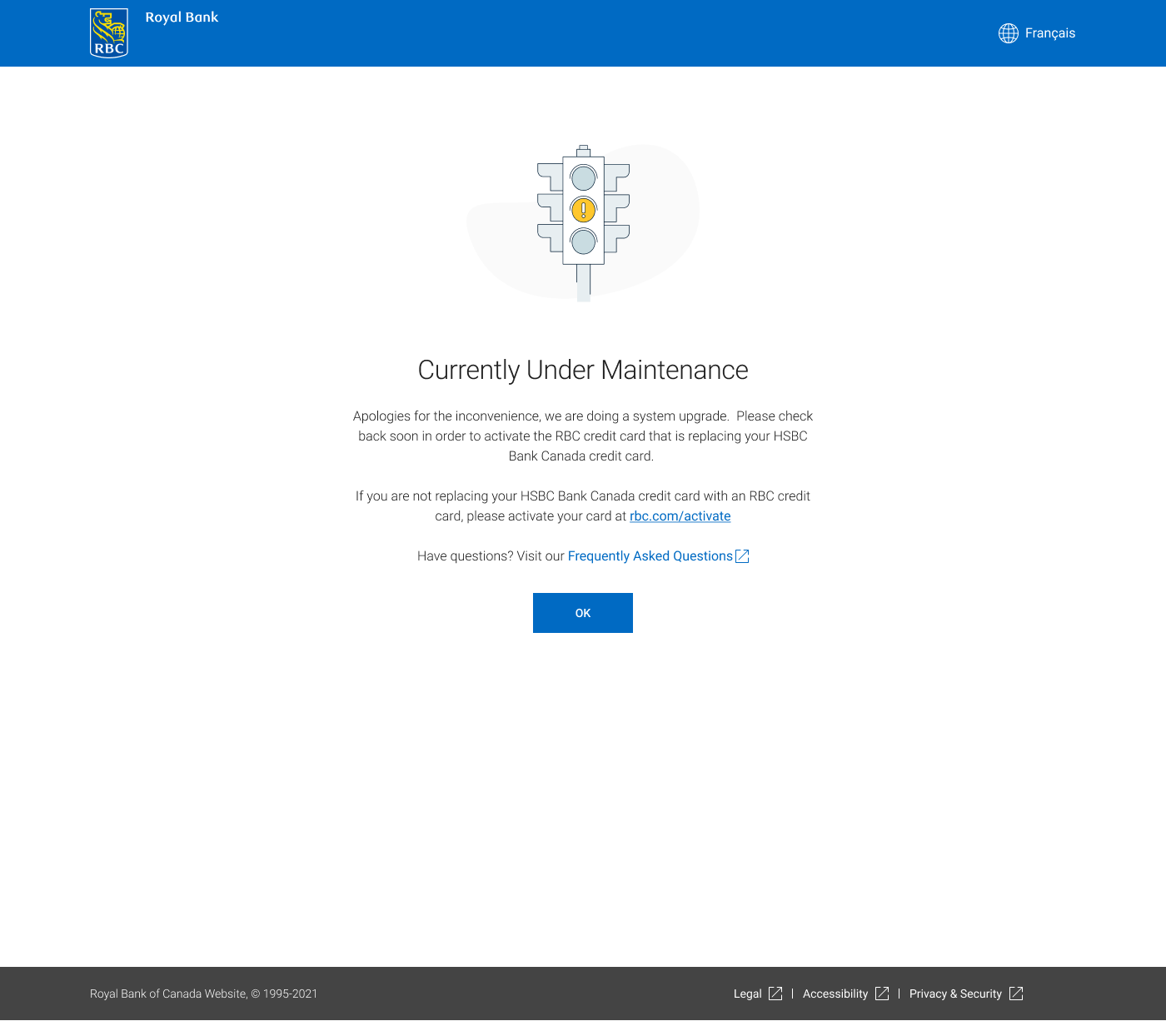
Worked with Senior executive team for Maintenance screen. It was a compromise as some patterns went against content guidelines.
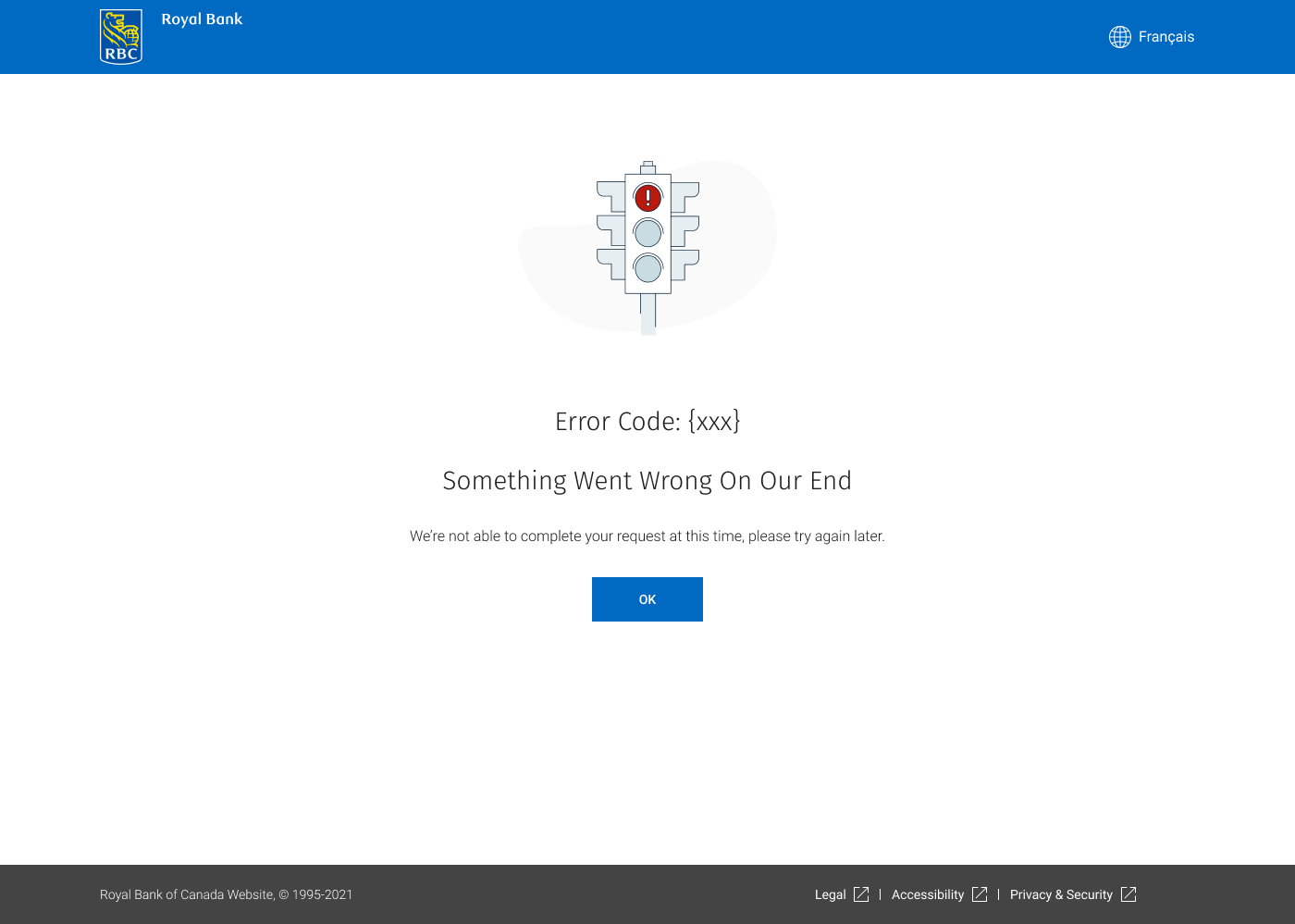
Various errors code screens were expected. Due to tracking purposes, it was imperative to add the code for the error

Success experience

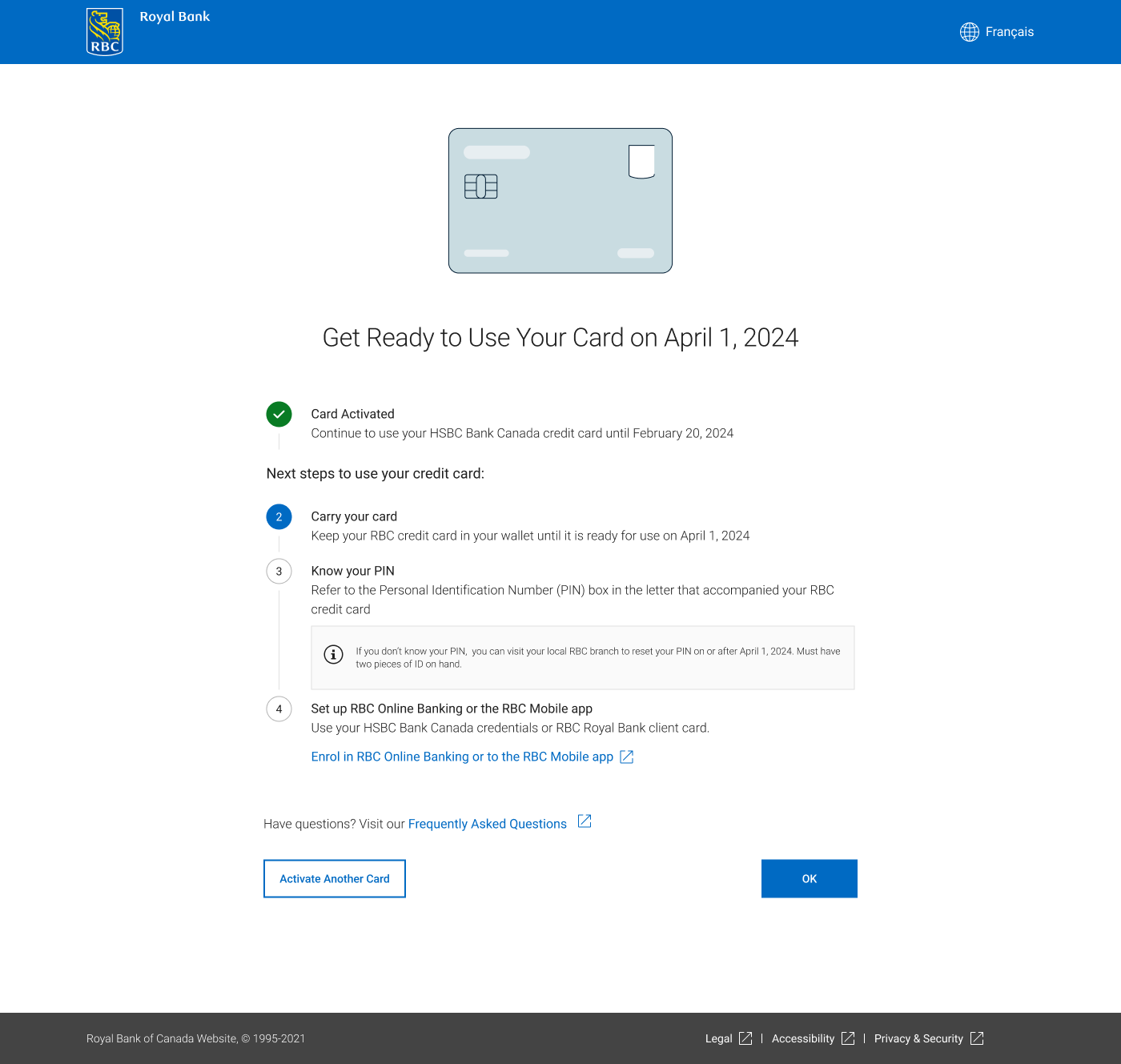
Users who have successfully completed the steps and matched the correct card will see the "Success" screen.

Business clients will immediately be taken to the success screen if they attempt to activate a business card. All business cards at RBC are sent to clients already activated, so no need to go through a card activation flow in any scenario.

Credit card executive teams were advised that users do not read final screens, especially if they are successful. However, they insisted on including remainder of steps that were included in the letter with the card. Teams were also reminded that users will not be able to return to this screen after they close it, so solving an issue of HSBC > RBC clients throwing out the letter with their card, will not be resolved with this screen.

Final data showed immediate drop off of clients once they were brought here,